Imagine inspecting painted panels whose acceptable colors were specified by how different they should look to a human observer. Raw RGB distance is a poor match for that requirement: the same numeric step can look large in one region of the RGB cube and small in another. LAB was designed to make color differences more perceptually meaningful.
1. What is LAB Color Segmentation?
LAB color segmentation is a deterministic algorithm that converts pixels into CIE lightness and opponent-color coordinates, then labels pixels inside chosen bounds. It solves color-selection tasks where separating lightness from chromatic color—and reasoning about visually similar colors—is more useful than thresholding raw camera channels.
The three coordinates are for lightness, for the green–red opponent direction, and for the blue–yellow opponent direction. Telekinesis exposes the practical eight-bit LAB representation, whose channel values are supplied as integers from 0 to 255.
1.1 The Complete LAB Segmentation Path
RGB → perceptual coordinates → mask
LAB makes numerical color differences more perceptually meaningful, but it does not make camera color invariant to illumination or white balance.
LAB segmentation also begins with the RGB values stored by the camera, but it converts them into coordinates designed to separate lightness from opponent color directions. This is useful when the task is closer to “find colors similar to this reference” than “keep pixels with a high red channel.”
The conversion has several steps because encoded RGB is tied to a display-oriented color space. The values are first linearized, then converted through the device-independent CIE XYZ representation. A reference white establishes what counts as neutral illumination, and a nonlinear mapping finally produces , , and .
Once each pixel has those three coordinates, segmentation is simple again. The algorithm checks whether lightness lies inside its allowed range and whether both opponent-color values lie inside theirs. Pixels passing all three tests become foreground.
The complex part is therefore the coordinate conversion, not the final threshold. That conversion makes color differences more meaningful, but its result still depends on the assumed RGB encoding, white point, and camera processing. The interactive view introduces the LAB axes before the mathematics below.
Interactive color coordinates
Describe the same pixel in four color spaces
1.2 Lightness and Opponent Colors
runs from black toward diffuse white. The axis moves from greenish values toward reddish values, while moves from bluish toward yellowish values. This separates “how light is it?” from two chromatic directions.
For normalized tristimulus ratios , , and , CIELAB is defined using a piecewise function :
Here, are the pixel’s CIE tristimulus values; describe the reference white; and is the standard cube-root/linear transition used by CIELAB. The white point matters because LAB describes color relative to an assumed reference illumination.
1.3 Why Perceptual Uniformity Helps
CIELAB was designed so equal coordinate changes correspond roughly—not perfectly—to equal perceived changes. A familiar color-distance measure is
, , and are the coordinate differences between two colors; is their Euclidean distance in LAB space. More modern formulas improve perceptual agreement, but this equation captures the motivation.
The Telekinesis Skill uses channel bounds rather than a spherical radius. Geometrically, it selects a rectangular box in LAB space. That is still often easier to tune by eye than an RGB box because lightness can be widened independently of the opponent-color axes.
1.4 The Range Test and Its Trade-off
Let the converted pixel be in the implementation’s eight-bit representation. It becomes foreground if
The and symbols are lower and upper bounds for each stored LAB channel. Widening only the lightness interval tolerates shadows without admitting unrelated hues as readily as widening all three RGB channels. Widening or accepts more chromatic variation.
LAB is not magic illumination invariance. A different lamp changes the light reaching the camera; automatic white balance changes RGB before conversion; glossy reflections mix illuminant and surface color. The conversion reorganizes color information but cannot recover a material’s true reflectance from one uncalibrated image.
1.5 Why LAB Thresholding Is Not a Trained Model
LAB conversion follows a colorimetric standard and thresholding follows a fixed comparison rule. There are no learned weights, training examples, or loss function. Bounds can be selected from sampled colors or optimized on labeled masks, but that validation process does not train a neural network.
When evaluating, do not report only average IoU. Paint inspection may care much more about false acceptance of a wrong color than about missing a few boundary pixels. Choose metrics that match the decision the robot will make.
1.6 When LAB Is the Right Coordinate System
LAB is valuable when the accepted range is naturally described as a lightness tolerance plus chromatic tolerances, or when engineering specifications already use CIELAB and . HSV is often easier for a simple “find all blue objects” rule. RGB can be simpler and faster when the imaging setup is locked.
All three remain pixel classifiers. They cannot distinguish two objects with the same color, understand a part name, or infer which colored region is graspable. Pair color segmentation with component filtering and geometry—or move to a learned model when identity rather than color carries the answer.
1.7 LAB Bounds and Color-Distance Rules Are Different
An axis-aligned LAB range and a tolerance do not select the same shape. Bounds create a rectangular box: a pixel can independently use the full allowed deviation on , , and . A simple threshold creates a sphere around a reference color.
The box is convenient when tolerances differ by coordinate. You might allow wide lightness variation from shadows but only small chromatic variation. A distance rule is convenient when the specification says every direction of color change should count similarly. Understanding that geometry prevents an engineer from interpreting channel bounds as if they were a formal paint tolerance.
1.8 Stored Eight-Bit LAB Is Not the Textbook Scale
Textbooks commonly show from 0 to 100 and signed and values around zero. Image libraries often store LAB in unsigned eight-bit channels so it fits the same memory layout as an RGB image. Lightness is scaled, while the two opponent channels are shifted into a non-negative range.
That is why Telekinesis bounds use values from 0 to 255. Do not paste a signed laboratory tolerance directly into an eight-bit API. First establish the conversion and encoding used by the image pipeline, then sample the deployed image values.
1.9 White Balance and the Reference White
CIELAB is defined relative to a reference white, and the RGB-to-LAB pipeline carries assumptions about primaries, transfer functions, and white point. Meanwhile, a camera may already have applied automatic white balance. Two cameras looking at the same panel can therefore produce different stored LAB coordinates.
For repeatable inspection, lock camera processing, keep illumination stable, and calibrate bounds separately when sensors or optics change. If the application claims traceable color measurement rather than practical image segmentation, use a calibrated color-measurement workflow; a convenient camera conversion is not automatically a colorimeter.
1.10 Build a Mask Evaluation Around the Decision
For object isolation, pixel IoU and boundary error may be suitable. For paint acceptance, measure false acceptance and false rejection at the part level. For robot picking, measure centroid and pose error after connected-component filtering. The best color space is the one that makes the final operational decision stable—not necessarily the one with the prettiest example mask.
Always include distractors close to the acceptance boundary. A test set containing only vivid target colors and neutral backgrounds cannot reveal whether LAB is providing useful separation.
2. How to Use LAB Segmentation in the Telekinesis Agentic OS
Telekinesis provides LAB thresholding as the Cornea Skill segment_image_using_lab. The code loads a painting scene and returns a SegmentationImage with labels 0 and 1.
from telekinesis import cornea, datatypes

image = datatypes.Image.from_url(
    url="https://assets.telekinesis.ai/examples/v1/images/car_painting.jpg"
)

mask = cornea.segment_image_using_lab(
    image=image,
    lower_bound=(120, 50, 50),
    upper_bound=(180, 255, 255),
)

print(mask.shape, mask.label_codes, mask.number_of_labels)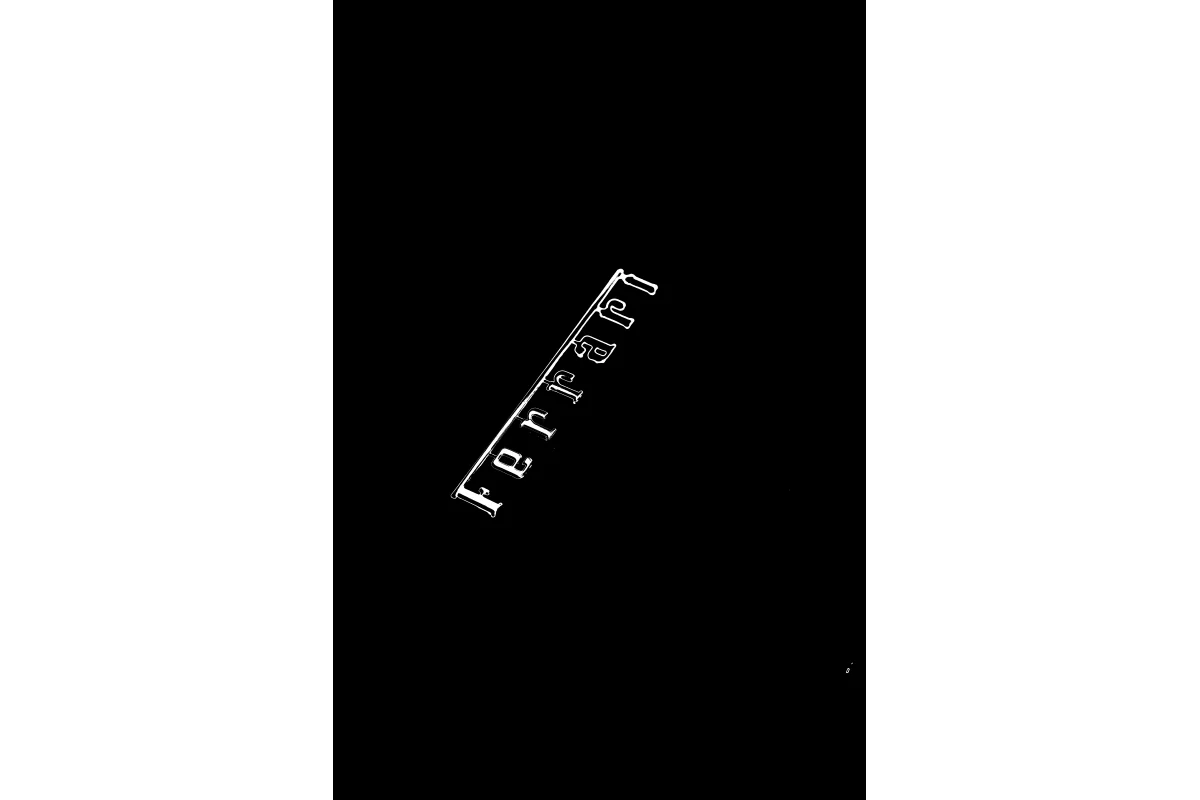
The selected region lies inside the supplied LAB box. Validate the same bounds under every allowed camera and lighting condition.
3. Benchmarking
LAB thresholding has no learned checkpoint to benchmark. Compare RGB, HSV, and LAB on the same labeled deployment images. Report pixel precision, recall, IoU, color false-accept rate, component stability, and latency; stratify results by illumination, exposure, surface gloss, and camera.
4. Where to Go Next?
 Basic · 8 min read
What is HSV Color Segmentation?
HSV color segmentation solves the problem of selecting pixels by color while separating hue from brightness. Learn the RGB-to-HSV mechanism, circular hue thresholds, practical failure modes, and how to use it in the Telekinesis Agentic OS.
Read tutorial → Basic · 8 min read
What is RGB Color Segmentation?
RGB color segmentation solves the problem of separating pixels with known raw color values under controlled lighting. Learn its channel-thresholding mechanism, mathematical decision rule, engineering limits, and how to use it in the Telekinesis Agentic OS.
Read tutorial →5. References
- CIE. “CIE 1976 Lab* Colour Space”, International Lighting Vocabulary.
- NIST. “CIE Fundamentals for Color Measurements”.
- Telekinesis. “Segment Image Using LAB”, Cornea Skill documentation.