A robot camera does not deliver objects, edges, or meaning. It delivers numbers arranged in a grid. Understanding that grid makes every later vision topic—from thresholding to neural networks—much easier to reason about.
1. What is an Image?
An image is a rectangular grid of measurements, called pixels, recorded from a scene. Each pixel describes the light measured at one small image location.
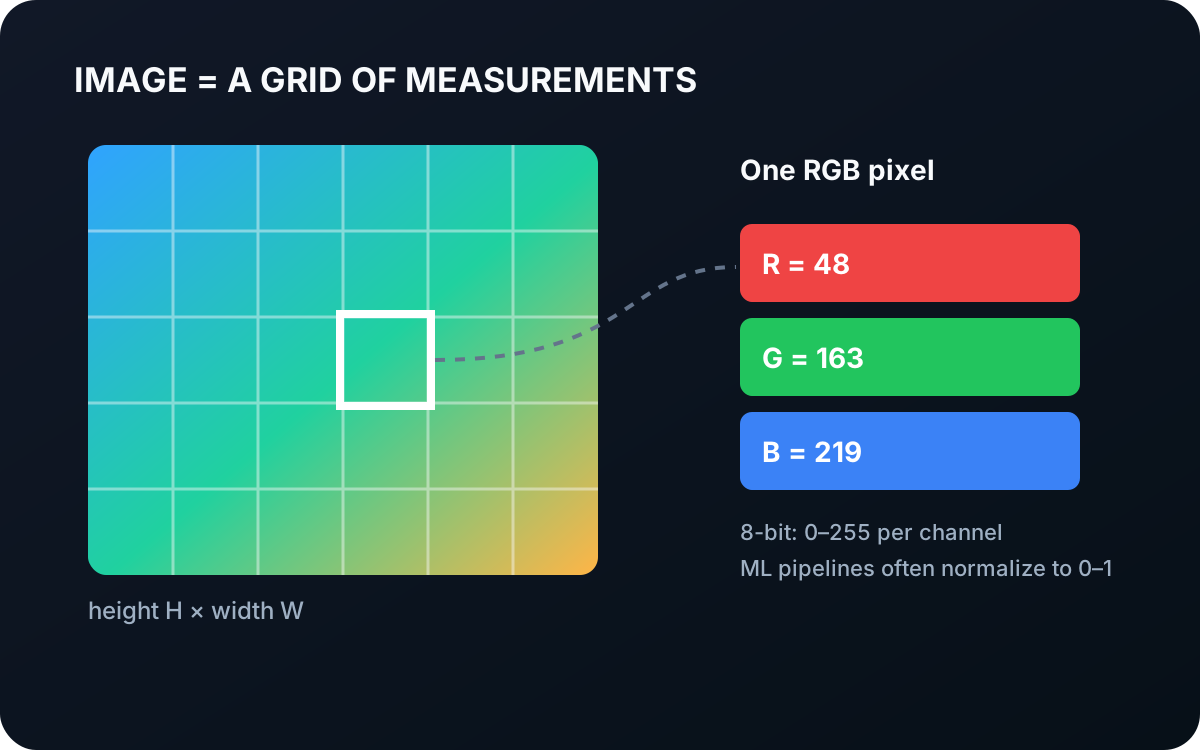
An image can be represented as a tensor
is the image, is its height in pixels, is its width in pixels, and is its number of channels. A grayscale image usually has one channel. An RGB image has three channels containing red, green, and blue values.
The position of a pixel is commonly written as , where is the horizontal image coordinate and is the vertical coordinate. Unlike a point in the robot’s workspace, does not contain physical distance. It identifies a camera ray: somewhere along that ray, light from the scene reached the pixel.
1.1 Pixels Store Measurements, Not Objects
For an eight-bit RGB image, one pixel may be stored as
The three numbers are the red, green, and blue channel values at pixel . Each lies between 0 and 255. Machine-learning pipelines often normalize them to the range 0 to 1, but normalization does not add information; it only changes the numeric scale.
Those values do not say “blue cable.” That interpretation must come from an algorithm that uses surrounding pixels, learned visual patterns, or a known color rule.
1.2 Resolution and Field of View Are Different
Resolution tells you how many samples the image contains. A 1920×1080 image has more pixels than a 640×480 image. It does not automatically see a wider area. Field of view depends on the camera lens and sensor geometry; resolution controls how finely that view is sampled.
This distinction matters for robotics. A high-resolution camera pointed too far from a tiny component may still provide too few useful pixels. A wider lens may show more of the workcell while making every object smaller in the image.
1.3 What Changes the Pixel Values?
Pixel values depend on more than surface color. Illumination, exposure, gain, white balance, reflections, shadows, lens effects, and image compression all influence the recorded numbers. Two images of the same physical object can therefore differ significantly.
An image also lacks metric scale. A small nearby object can occupy the same number of pixels as a large distant object. To recover distance or physical size, the system needs additional geometry, such as a calibrated depth camera, stereo vision, or a known scene plane.
2. How Images Connect to Robot Perception
Most 2D vision algorithms begin with this grid and add structure:
| Operation | What it adds |
|---|---|
| Thresholding | A label for each pixel based on intensity or color |
| Contour detection | Ordered boundaries around connected regions |
| Object detection | Categories and rectangular image regions |
| Segmentation | A semantic or instance label for each pixel |
| Depth estimation | A distance associated with each image position |
The central mental model is simple: an image says what light was measured and where in the image it was measured. It does not directly say what produced that light or where the source lies in 3D.
2.1 The Telekinesis Image Datatype
Telekinesis carries pixel arrays with datatypes.Image. It accepts grayscale (H, W), RGB (H, W, 3), and RGBA (H, W, 4) arrays. The object exposes properties such as height, width, channels, and dtype, so Skills can agree on the image contract.
import numpy as np
from telekinesis import datatypes

pixels = np.zeros((480, 640, 3), dtype=np.uint8)
image = datatypes.Image(pixels)

print(image.height, image.width, image.channels)  # 480 640 3
The datatype preserves pixels and validates their layout. It does not attach camera geometry; focal length, distortion, and camera pose belong to calibration data.
3. Where to Go Next
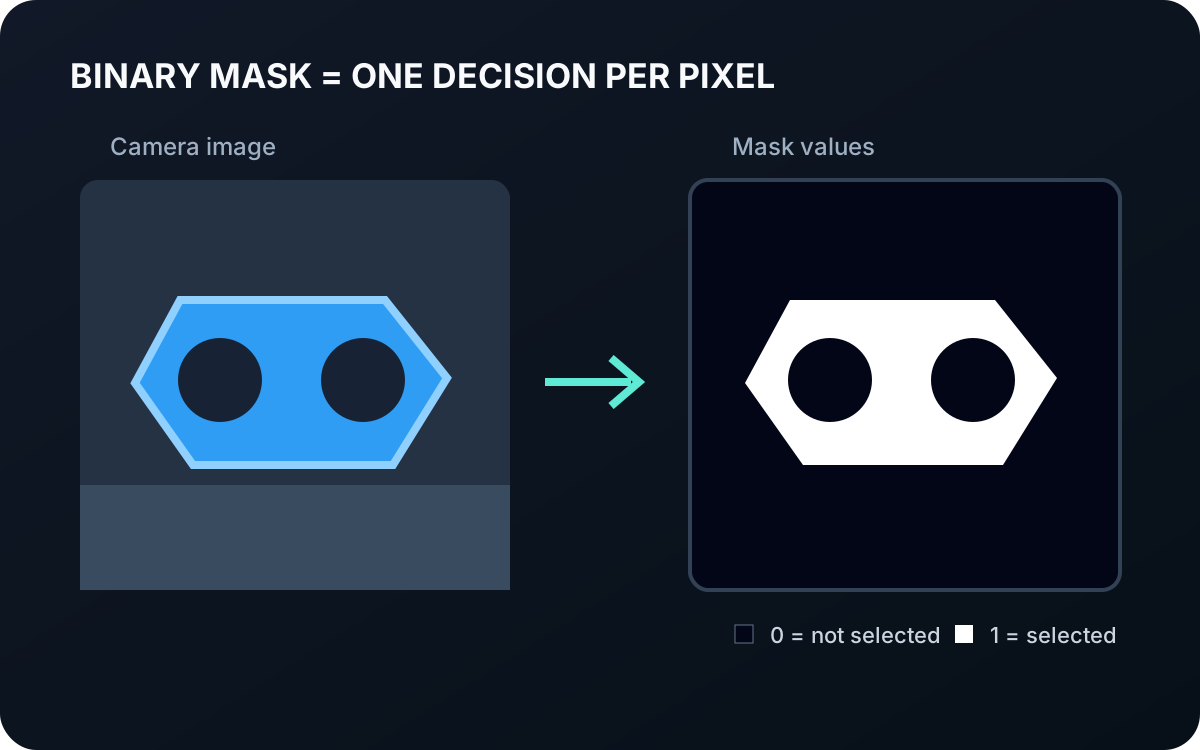 Basic · 3 min read
What is a Binary Mask?
A binary mask marks each image pixel as selected or not selected. Learn how masks isolate usable regions, how they differ from photographs, and how Telekinesis represents them for robot perception.
Read tutorial →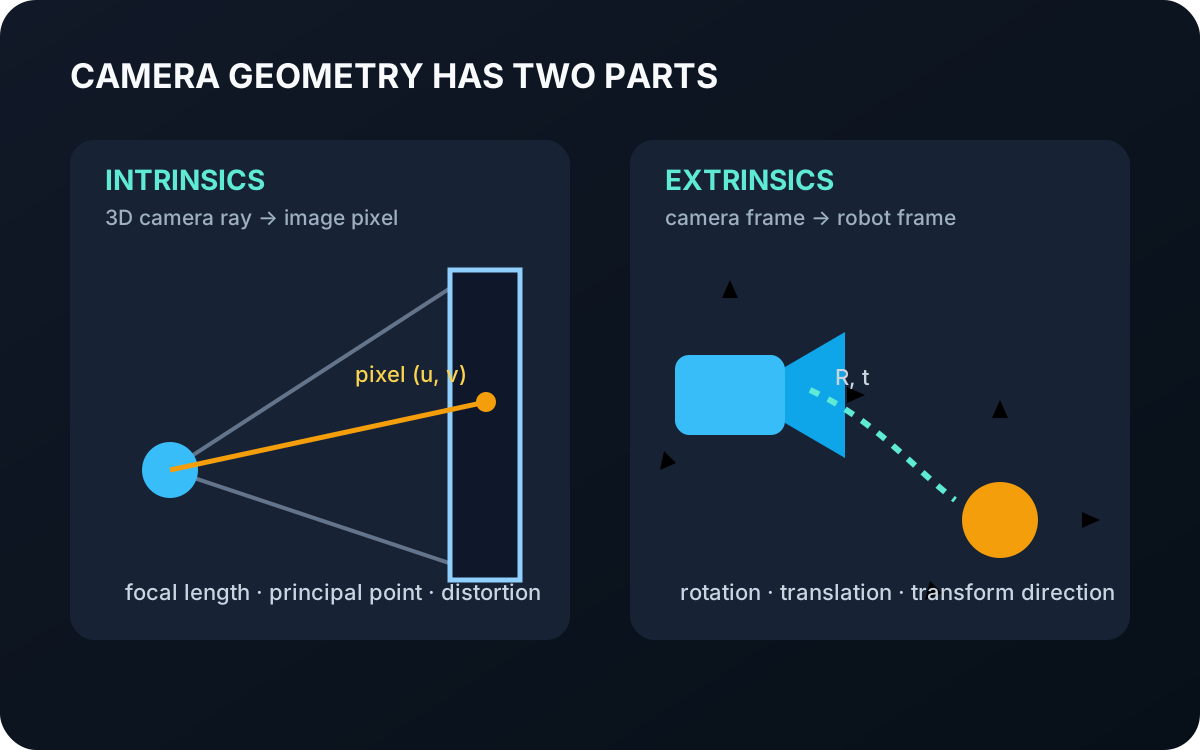 Basic · 3 min read
What are Camera Intrinsics and Extrinsics?
Camera intrinsics describe how 3D rays map to pixels, while extrinsics place the camera in another coordinate frame. Learn why robots need both and how Telekinesis represents them.
Read tutorial →